Explore Our Latest News & Articles
By Cruising Region:
By Subject:
Waterway Guide App Updates: Bookmark Marinas & Check Fuel Prices
Date Posted: February 10, 2026
Source: Staff Report
The Waterway Guide Mobile App continues to enhance the cruising experience with new, practical features designed to support efficient trip planning and navigation.
View Fuel Prices Within the App
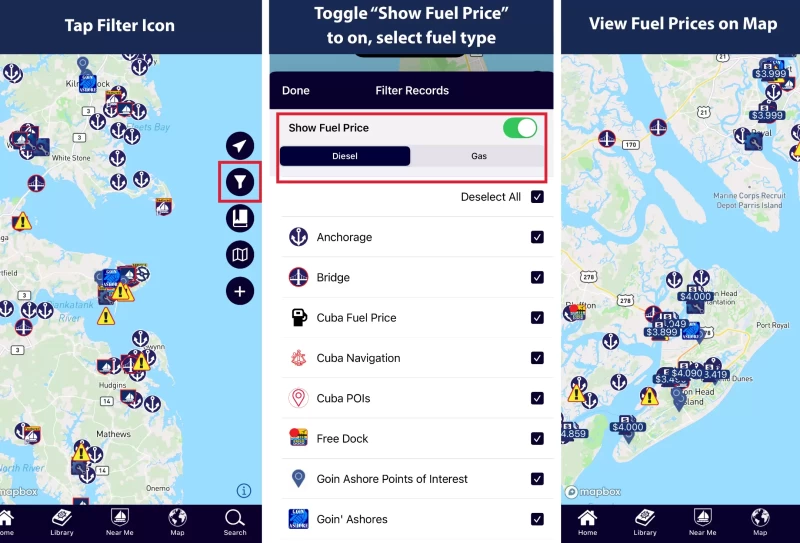
Accurate fuel information is essential for effective route planning. The app now allows users to view real-time fuel prices on the map:
1. Tap the filter icon on the right side of the map view.
2. Toggle "Show Fuel Price" to on.
3. Select Gas or Diesel, according to your vessel's requirements.
4. Exit the filter menu to view fuel prices at locations directly on the map.
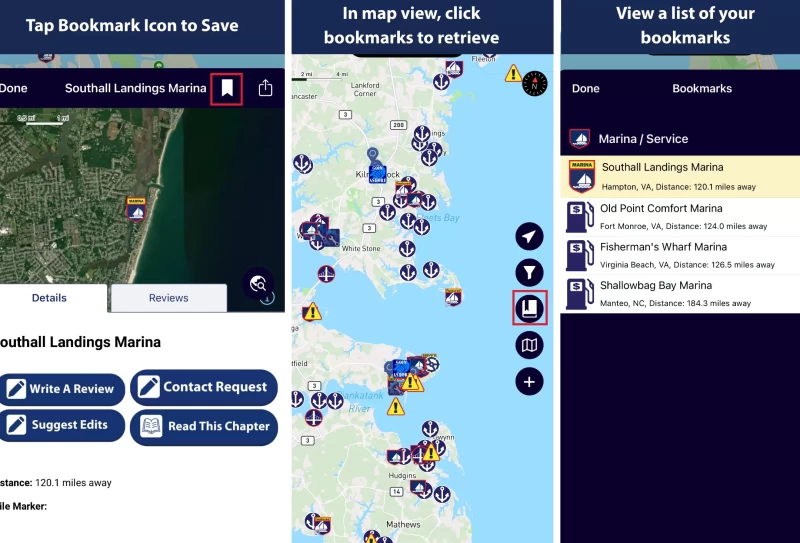
Bookmark Marinas for Quick Access
Users can now save their favorite marinas (or fuel spots) within the app for streamlined planning and preference. To bookmark a marina:
1. Open the map view
2. Select the desired marina.
3. Tap the bookmark icon located next to the marina's name.
Bookmarked marinas are easily accessible from the bookmark icon in the app's side menu of the map, providing quick access to preferred locations and ensuring consistent organization of your cruising itinerary.
To utilize these features, ensure you have updated to the most recent version. Maintaining the latest version ensures optimal performance, functionality, and access to all new tools.
Download the Waterway Guide Mobile App.
Happy Cruising!


Recent Videos
Purchase a Guide
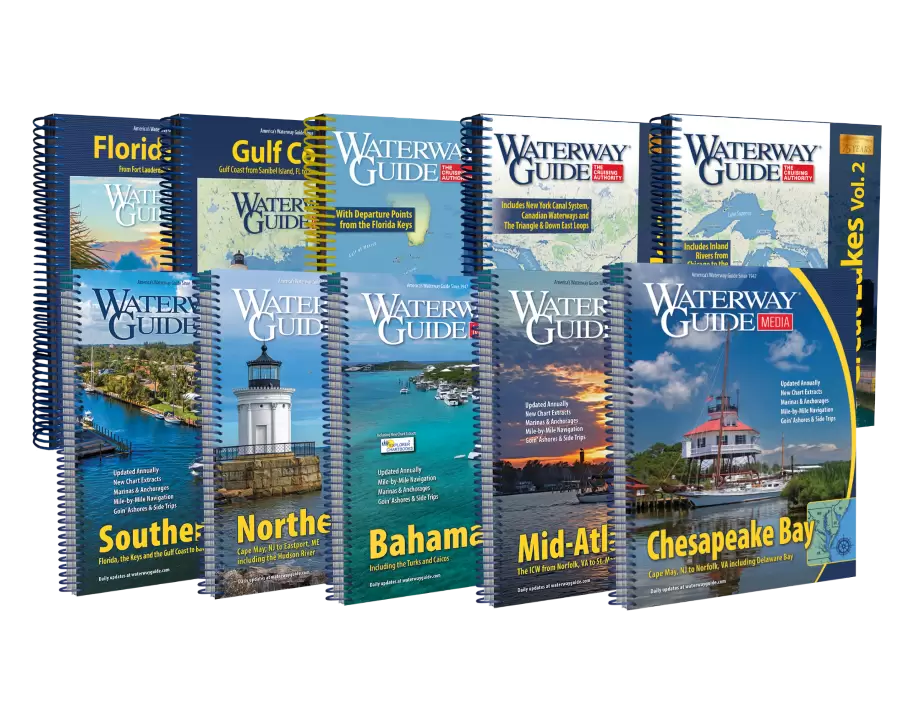
- 4,000 Marinas
- Thousands of anchorages
- Updated Charts
- Mile-by-Mile Navigation
- Highlighted Alerts & Cautions
- Full-Color Aerial Photographs
Download The App
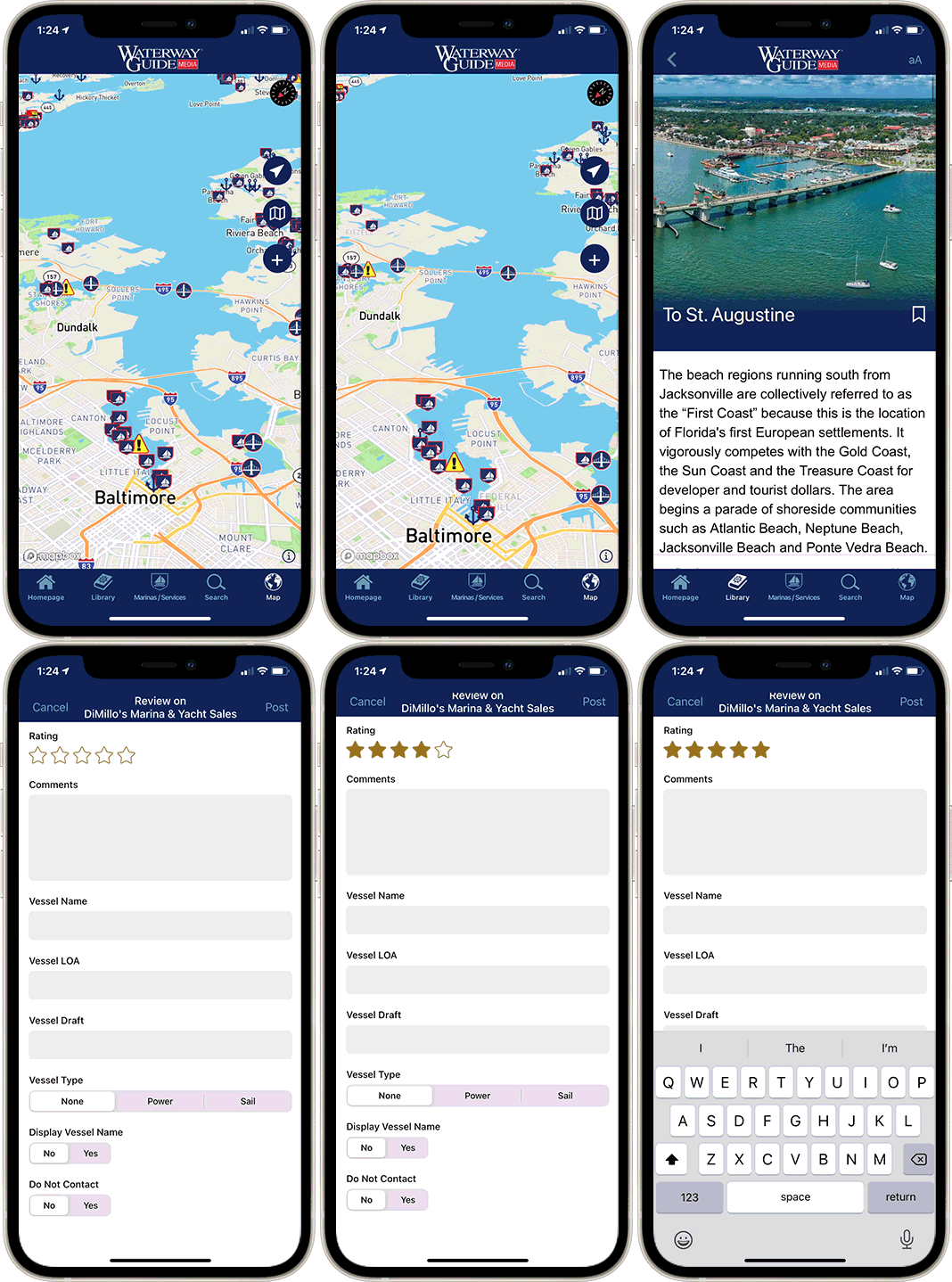
The Waterway Guide App Makes it easy to leave reviews, use our explorer, and view waterway guide materials all on the go!